
Picking a domain name isn’t just about finding something that sounds good. It’s one of those digital marketing decisions that’ll stick with your business for years — so getting it right matters.
A strong domain name helps people find you, remember you, and trust you. It shapes how customers perceive your brand before they even click through to your site.
If you’ve ever typed in the wrong URL or forgotten a company’s website because the name was too complicated, you know exactly what I’m talking about.
How to Choose a Domain Name That Works for Your Business?
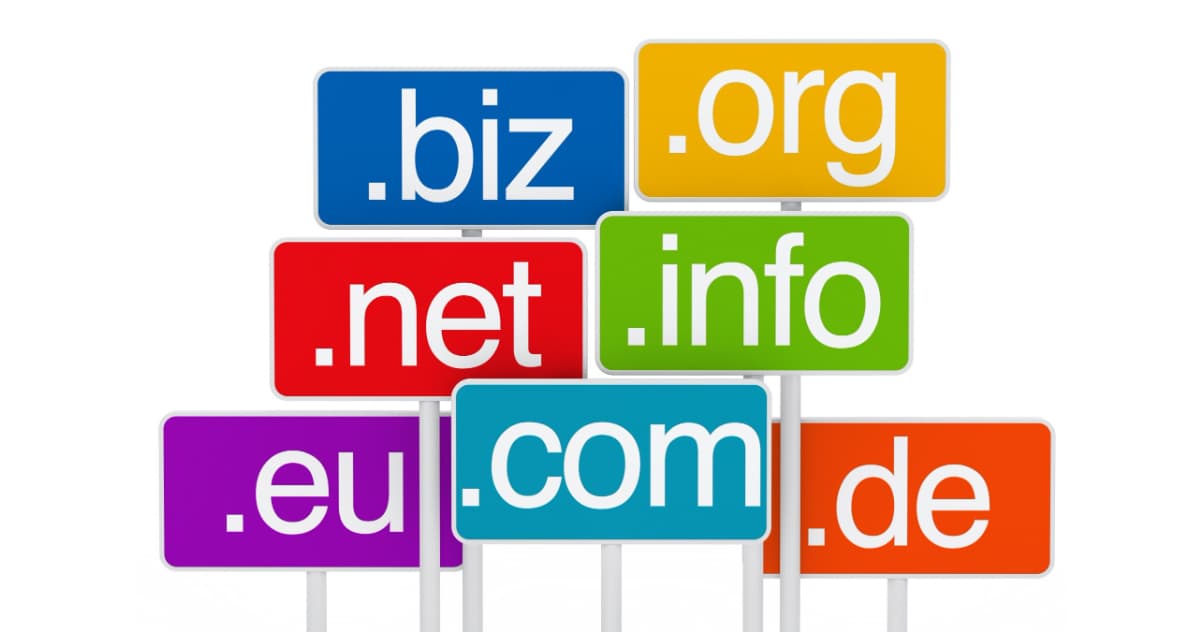
In this guide, you’ll learn how to choose a domain name that supports your brand, makes sense for your audience, and sets you up for long-term growth. Let’s break down what actually matters.
What Is a Domain Name?
A domain name is your website’s address on the internet. It’s what people type into their browser to reach your site – think of it as your business’s digital street address.
Every domain has two main parts. The top-level domain (TLD) is the extension at the end, like .com, .org, or .net.
The second-level domain (SLD) is the unique part that comes before it — your brand name or chosen identifier.
For example, in “nike.com,” “nike” is the SLD and “.com” is the TLD. Together, they create the full domain that directs visitors to Nike’s website.
What Is a Domain Name Example?
Here are a few real-world examples:
- amazon.com — retail marketplace
- harvard.edu — educational institution
- redcross.org — nonprofit organization
- spotify.com — music streaming service
Each domain clearly identifies the brand and makes it easy for users to find and remember the site.
Why Your Domain Name Matters for Business?
Your domain name affects how people interact with your website.
It’s one of the first things potential customers see, and it influences whether they remember you, trust you, and come back.
A clear, relevant domain name helps visitors understand what your business does before they even land on your site.
When someone sees “greenleaflandscaping.com,” they immediately know what to expect. That clarity reduces confusion and improves the overall user experience.
Shorter domain names are also easier to share. Whether someone’s texting a friend your URL or typing it into their phone, simplicity wins.
Complicated domains with hyphens, numbers, or confusing spelling create friction — and friction leads to lost traffic.
From a brand perspective, your domain is part of your identity. It shows up in email addresses, marketing materials, and social media.
A professional, memorable domain reinforces your credibility and makes your business look established.
How to Choose a Domain Name Online: Step-by-Step
Choosing the right domain takes strategy. Here’s how to approach it.
Pick the Right Domain Extension for Your Audience
Your TLD should match your goals and target market. The .com extension is still the default choice for most businesses — it’s familiar, trusted, and what people assume when they can’t remember your exact URL.
But other extensions work well in specific situations:
- .org — nonprofits and community organizations
- .edu — educational institutions
- .gov — government agencies
- .co — startups and tech companies
- .io — tech and software businesses
- .store — e-commerce sites
If you’re targeting a specific country, a country-code TLD can help. A .uk or .ca extension signals to local customers that you operate in their region, which builds trust and can improve visibility in local search results.
For example, a Toronto-based bakery might use “sweetsbakery.ca” to connect with Canadian customers. On the other hand, a SaaS company serving a global audience would likely stick with .com or .io.
Choose a Domain Name That Reflects Your Brand
Your domain should communicate what your business is about without being overly generic. If your business name already includes relevant terms, that’s a natural starting point.
Let’s say you run a company called “Peak Performance Coaching.” The domain “peakperformancecoaching.com” tells visitors exactly what you do while reinforcing your brand name. It’s clear, professional, and memorable.
Including a keyword related to your business can be helpful, but it’s not required. The key is to choose a name that’s relevant to your brand rather than stuffing it with keywords.
“Best-SEO-Services-Cheap-2024.com” doesn’t inspire confidence — it looks spammy.
Focus on building a brand people will remember. A unique, brandable domain like “mailchimp.com” or “shopify.com” doesn’t rely on keywords, but it’s instantly recognizable.
Keep It Short and Simple
Shorter domains are easier to remember, type, and share. Aim for no more than three words, and avoid unnecessary complexity.
Long, convoluted domains create problems. “GreenThumbGardeningSuppliesAndLandscaping.com” is a mouthful.
Compare that to “GreenThumbCo.com” — the shorter version is cleaner and more professional.
Simplicity also reduces typos. Every extra character is another opportunity for someone to mistype your URL and end up on a competitor’s site or an error page.
Avoid Numbers, Hyphens, and Special Characters
Numbers and hyphens complicate things. If your domain is “garden-solutions-101.com,” people will forget the hyphens or confuse “101” with “one-oh-one.” This leads to lost traffic.
Stick with letters only. If the domain you want is taken, try a different variation or extension rather than adding hyphens or numbers. “GardenSolutions.co” is a better alternative than “Garden-Solutions-1.com.”
Make It Easy to Pronounce and Spell
If someone can’t say your domain name out loud or spell it after hearing it once, it’s too complicated. This matters for word-of-mouth marketing, podcasts, videos, and any situation where you’re sharing your URL verbally.
Unusual spellings or made-up words can work if they’re intuitive (like “Flickr” or “Tumblr”), but they’re risky. Test your domain name by saying it to a few people and asking them to spell it back to you. If they struggle, rethink it.
Plan for Future Growth
Your business might evolve. If you start with a narrow focus and expand later, you don’t want your domain to limit you.
Imagine launching a boutique called “Jane’s Vintage Dresses” with the domain “janevintagedresses.com.”
If you later add shoes, accessories, or modern styles, your domain no longer fits. A more flexible option like “janesboutique.com” leaves room to grow.
Think long-term. Choose a domain that can scale with your business rather than locking you into a specific niche.
Use a Domain Name Generator for Ideas
If you’re stuck, a domain name generator can help. These tools combine keywords, suggest variations, and show available options instantly.
Popular domain name generators include:
- Namecheap’s Beast Mode — generates creative combinations
- Shopify’s Business Name Generator — tailored for e-commerce
- Lean Domain Search — focuses on .com availability
Type in a few keywords related to your business, and these tools will produce dozens of potential domain names. It’s a quick way to explore options you might not have considered.
Run a Domain Name Availability Check
Before you get attached to a domain, make sure it’s available. A domain name availability check shows whether your chosen domain is already registered.
Most domain registrars (like GoDaddy, Namecheap, and Google Domains) let you search for free. If the .com version is taken, they’ll suggest alternatives — different extensions or slight variations.
If you’re based in India, you can also run a domain name availability check in India through local registrars like BigRock or ResellerClub. They specialize in .in domains and other country-specific extensions.
Register Your Domain with a Trusted Registrar
Once you’ve found an available domain, register it immediately.
Domains are first-come, first-served, and someone else could grab it while you’re deciding.
Choose a reputable registrar with good customer support and transparent pricing.
Some popular options include:
Look for registrars that offer privacy protection (to keep your personal information off public WHOIS records) and make renewals straightforward. Pricing varies, but most .com domains cost between $10–$15 per year.
Free Domain Name Search: What to Know?
Many registrars offer a free domain name search tool on their websites.
You can check availability without creating an account or paying anything upfront.
Keep in mind that some hosting providers bundle a free domain with their hosting plans.
For example, Bluehost and HostGator include a free domain for the first year when you sign up for web hosting.
If you’re building a new site from scratch, this can save you a few bucks.
However, “free” often comes with conditions. You might need to stay with that hosting provider to keep the domain at no cost, or you’ll pay full price upon renewal.
Read the fine print before committing.
How to Buy a Domain Name Permanently?
Technically, you can’t buy a domain name permanently – you lease it for a set period (usually one year) and renew it as long as you want to keep it.
However, some registrars let you register domains for up to 10 years at a time.
This locks in your current price and ensures you won’t lose the domain due to a missed renewal.
To buy a domain name permanently (or as close as possible):
- Register for the maximum term available (usually 10 years)
- Enable auto-renewal so your domain renews automatically
- Keep your payment information up to date
- Add privacy protection to prevent spam and phishing
Set reminders for renewal dates, even with auto-renewal enabled. If your credit card expires or there’s a billing issue, you could lose your domain without realizing it.
Domain Name Suggestions: What Works Best?
Choosing a domain name involves balancing creativity with practicality. Here are some domain name suggestions based on what works in real-world marketing:
- Brand-first approach — Use your business name as the domain (e.g., nike.com, apple.com)
- Service-focused — Include what you do (e.g., plumbingpros.com)
- Location-based — Add your city for local businesses (e.g., chicagorealestate.com)
- Combination style — Blend your name with your service (e.g., samscarpentry.com)
Avoid trendy or overly clever names that might not age well. “The Ultimate Digital Marketing Ninja Hacks Hub” sounds gimmicky and won’t be taken seriously in five years.
| Domain Type | Example | Best For |
|---|---|---|
| Brandable | spotify.com | Unique, memorable businesses |
| Service-focused | quickbooks.com | Businesses where the function is clear |
| Location-based | nycroofing.com | Local service businesses |
| Hybrid | grammarly.com | Combines brand + function |
Common Domain Name Mistakes to Avoid
Even experienced marketers make domain mistakes. Here’s what to watch out for:
- Choosing something too similar to a competitor. If your domain is one letter off from a major brand, you’ll confuse customers and risk legal issues. “Amaz0n.com” isn’t clever — it’s a lawsuit waiting to happen.
- Ignoring trademark conflicts. Before finalizing your domain, search the USPTO trademark database. If your chosen name is trademarked in your industry, you could face a cease-and-desist order.
- Picking a domain that’s hard to spell or pronounce. If you have to explain how to spell your domain every time you mention it, it’s not working.
- Using hyphens to get your preferred name. “Best-Marketing-Agency.com” looks spammy and unprofessional. Find a better alternative.
- Waiting too long to register. If you find a domain you like, register it immediately. Domains get snatched up quickly, especially if you’ve been searching publicly or discussing it online.
Frequently Asked Questions
- How do I choose a domain name for my business?
Start by brainstorming names that reflect your brand, keep it short and simple, avoid numbers and hyphens, and check availability using a domain registrar’s search tool. Choose a .com extension if possible, and make sure the name is easy to spell and pronounce.
- What is a domain name example?
A domain name example is “amazon.com,” where “amazon” is the second-level domain and “.com” is the top-level domain. Other examples include “wikipedia.org,” “stanford.edu,” and “government.gov.”
- Can I get a free domain name?
Some hosting providers offer a free domain for the first year when you purchase a hosting plan. However, you’ll need to renew the domain at the standard rate after that initial period. There’s no truly “free” domain long-term.
- How much does a domain name cost?
Most .com domains cost between $10 and $15 per year. Premium domains (short, memorable, or keyword-rich names) can cost hundreds or even thousands of dollars. Prices vary by registrar and domain extension.
- Can I change my domain name later?
Yes, but it’s not ideal. Changing your domain means updating all your marketing materials, redirecting traffic from the old domain, and potentially losing some search visibility during the transition. It’s better to choose carefully from the start.
Final Thoughts:
Your domain name is one of the first impressions your business makes online. It needs to be clear, memorable, and aligned with your brand.
Take your time, test a few options with people you trust, and don’t settle for something that feels off just because it’s available.
Once you’ve chosen the right domain, register it with a trusted registrar, set up auto-renewal, and start building your online presence.
A strong domain name won’t do the marketing for you, but it’s a solid foundation that makes everything else easier.
Also Check: